
Static vs. Dynamic QR Codes: Why Your Offline Marketing Needs 'Trackable' QR Codes
Can't change a QR Code once printed? Wrong! Dynamic QR Codes allow you to change the link destination anytime and track scan data. This article compares the differences between static and dynamic QR Codes and shares offline marketing use cases.
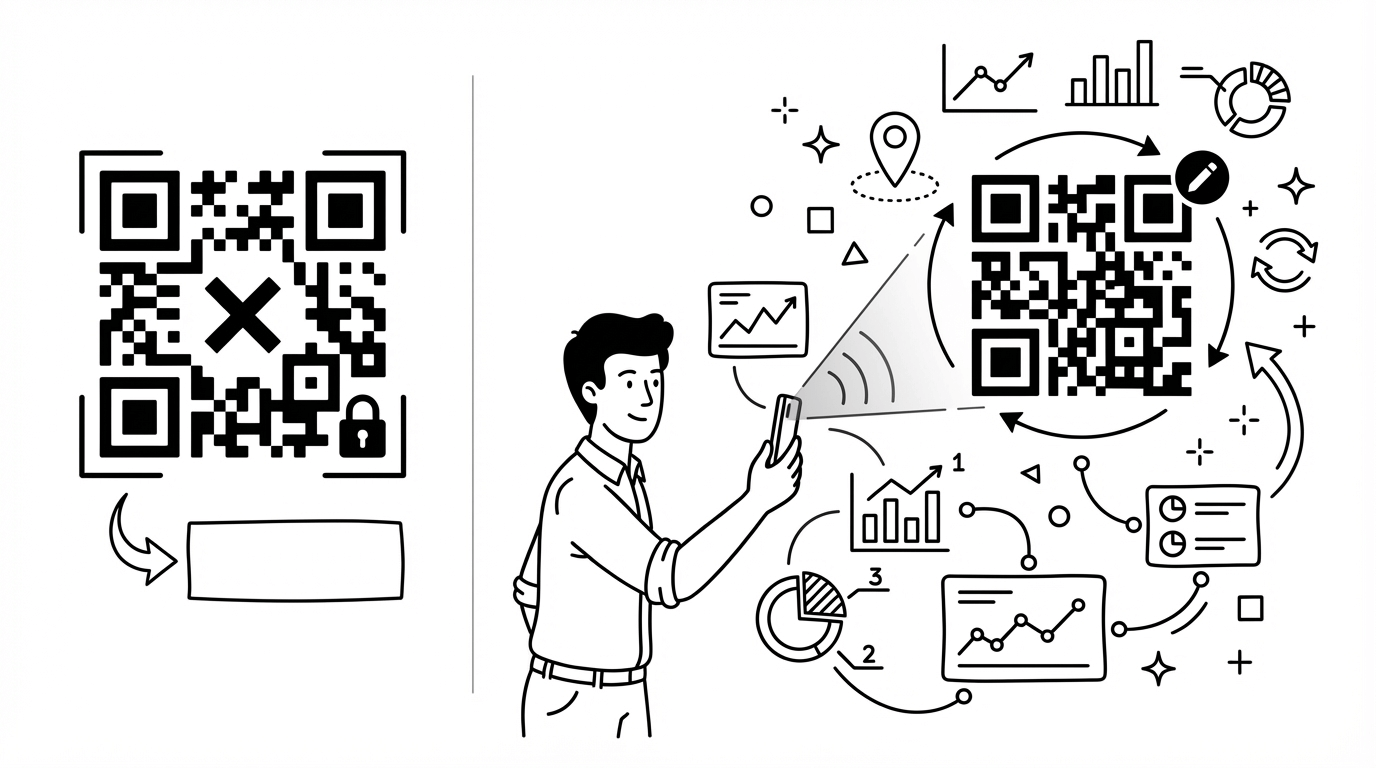
In the post-pandemic era, QR Codes have become the most important gateway connecting "Offline" and "Online". From ordering at restaurants and adding Line friends to filling out surveys, QR Codes are everywhere.
But did you know that QR Codes are actually divided into "Static" and "Dynamic" types?
If you are still using free generators to create "Static QR Codes" printed on posters or business cards, you might be missing out on valuable data or even facing the risk of reprinting.
Static vs. Dynamic: What's the Difference?
1. Static QR Code
- Principle: Encodes the URL directly into the graphic.
- Disadvantages:
- Unchangeable: Once printed, if the URL changes or has a typo, the QR Code is invalid and must be reprinted.
- Untrackable: You don't know how many people scanned it, when they scanned it, or what phone they used.
- Complex Graphic: If the URL is long, the dots in the QR Code become very dense, making it difficult to scan.
2. Dynamic QR Code
- Principle: Encodes a "short URL" into the graphic, which then redirects to the target page.
- Advantages:
- Change Anytime: Even if the poster is already up, you can change the target URL in the backend anytime (e.g., redirecting to the official website after an event ends).
- Complete Data: Track scan counts, time, location (approximate), and device type.
- Simple Graphic: Because it's a short URL, the QR Code graphic is simpler and easier to scan.
Why Does Offline Marketing Need Dynamic QR Codes?
Scenario 1: Business Cards and Networking
Your job title changed, your LinkedIn URL changed, or your company switched websites. If it's a static QR Code, the whole box of business cards has to be thrown away. With a dynamic QR Code, you just update the link in the backend, and the business card remains valid.
Scenario 2: Long-term Outdoor Advertising
Suppose you bought an ad space at a bus stop for a year. Your marketing campaign might change every month (Spring Sale -> Valentine's Promo -> Mother's Day). Using a dynamic QR Code, you don't need to change the poster every month, just switch the link target in the backend.
Scenario 3: A/B Testing
Want to know if the QR Code "at the counter" performs better than the one "at the door"? You can create two different dynamic QR Codes (redirecting to the same page) and analyze the scan sources through backend data to optimize your placement.
How to Create a Dynamic QR Code?
Using TrackHelps, creating a dynamic QR Code is very simple:
- Shorten URL: Paste your target URL into TrackHelps.
- Generate QR Code: The system automatically generates a QR Code for that short URL.
- Download & Apply: Download high-resolution images (PNG/SVG) and apply them to your designs.
- View Data: Log in to the backend anytime to view scan performance.
FAQ
Q: Do dynamic QR Codes have an expiration date?
A: This depends on the service provider you use. TrackHelps' dynamic QR Codes remain valid forever as long as your account is active.
Q: Can I customize the color or add a Logo to the QR Code?
A: Yes! TrackHelps supports customizing QR Code colors and styles, and allows embedding your brand Logo in the center to increase recognition and trust.
Q: Is the scan data accurate?
A: Very accurate. We record every scan behavior. Location data is estimated based on the scanner's IP address, usually accurate to the city level.